Zorofin / iPhone
Your Jellyfin library.
In your pocket.
Zorofin is a native Jellyfin client for iPhone. Browse your own movies and shows, choose an episode, and watch with touch controls built for the way you hold your phone.
Coming to iPhone and iPad. Version 1.0 is submitted to Apple and awaiting review. Invited testers can continue using TestFlight. Release availability.
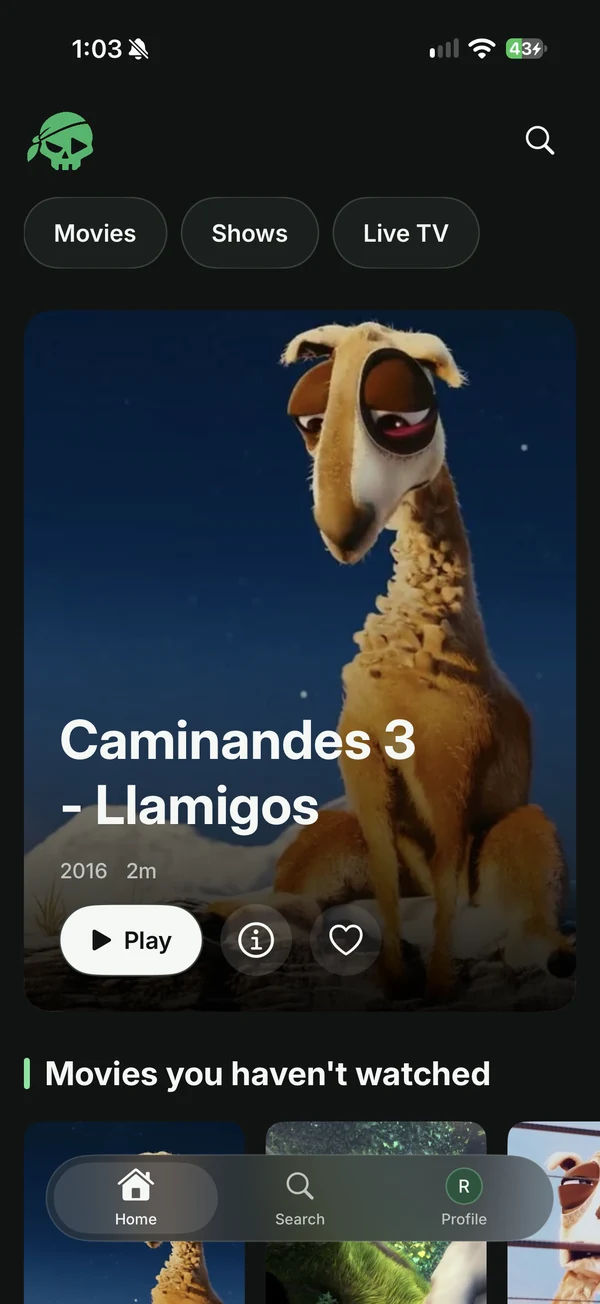
What makes it an iPhone client?
Zorofin uses a native interface for library browsing, Search, title details and playback. Series details show a vertical episode list and a season selector, so you can browse episodes without moving through a long horizontal carousel.
The iPhone player includes audio and subtitle choices, playback information and pinch-to-fit or fill. Media formats, available tracks and whether your server needs to transcode depend on the file, server permissions and device.
What do I need?
An iPhone running iOS 18 or later, a reachable Jellyfin server and an account on that server. Use your existing Jellyfin username and password, or Quick Connect when enabled. Zorofin does not supply movies, hosted accounts or a streaming subscription.
Will it work without a Zorofin plugin?
Yes. Sign-in, library browsing, Search, playback, favorites and watch state use Jellyfin itself. Sonarr, Radarr and Seerr are not required for those core functions. Requests, server support and related notifications depend on compatible optional services and account permissions.
How does it compare with watching in a browser?
A browser is a convenient way to open Jellyfin without installing another client. Zorofin provides a dedicated native iPhone app, touch playback controls and saved server/account selection. Choose based on your device, media compatibility and the interface you prefer; there is no single client that suits every setup.
What about privacy?
You choose the server, which supplies your library and handles account permissions. Saved sign-in credentials use Apple Keychain. Read the Privacy Policy for server connections, optional requests/support and diagnostics.
Also watching on a bigger screen?
Explore Zorofin for iPad or the dedicated Apple TV client. Need help with a connection or a title that will not play? Contact app support.